01
Save the moment
ReplayBox keeps the last few minutes of gameplay in a local ring buffer. Press the hotkey after an event happens.
ReplayBox saves the last few minutes of gameplay after the event. Trim a clip for your report and upload it to ReplayBox or to YouTube directly from the app.
ReplayBox saves a moment after it happens, helps you keep what matters and presents the content on one clear page.
ReplayBox keeps the last few minutes of gameplay in a local ring buffer. Press the hotkey after an event happens.
Open the built-in editor, keep the relevant episode and add markers without heavyweight editing software.
Uploads go in parts directly to private storage. After an interruption, only the missing parts need to resume.
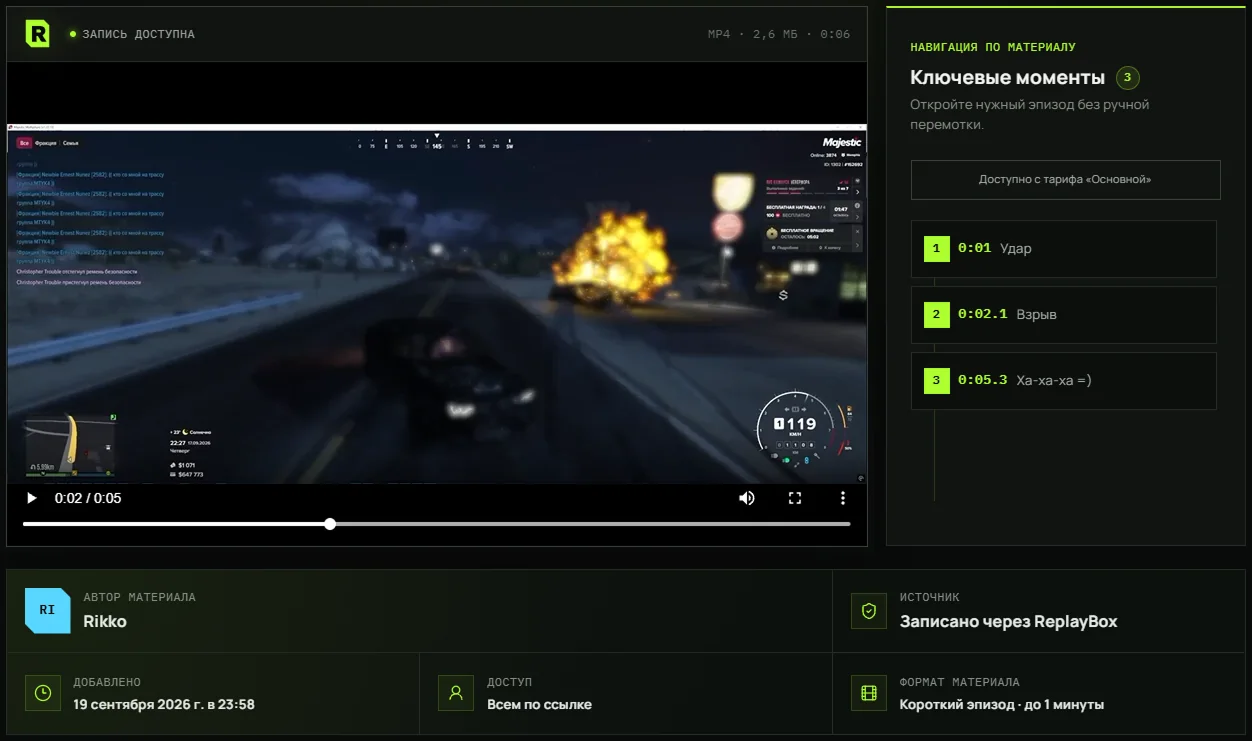
Administrators get one clear page with the video, author, publication time and navigation to key moments.
Connect your channel and upload finished videos to YouTube directly from ReplayBox. After publishing, share the link to your video.
Quick trimming is built into ReplayBox. Select the relevant episode, assemble a clip and mark key moments right on the timeline.
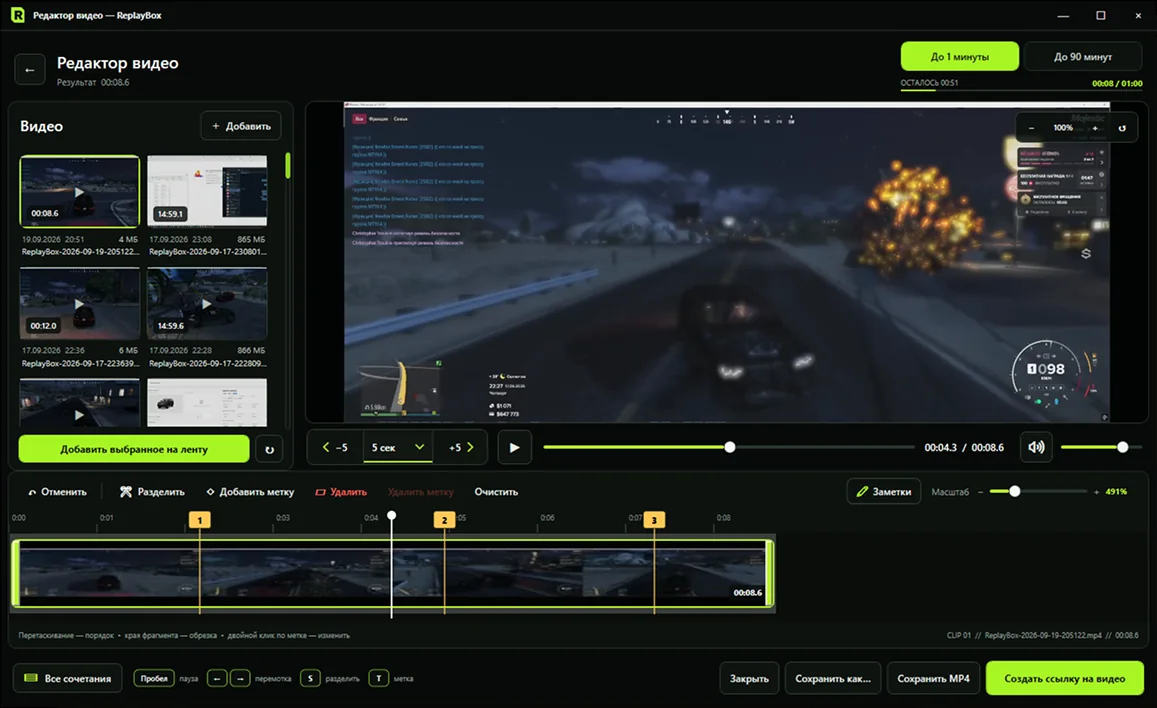
Choose how much context to keep before you start editing. The source file stays unchanged on your computer.
You can change the format before editing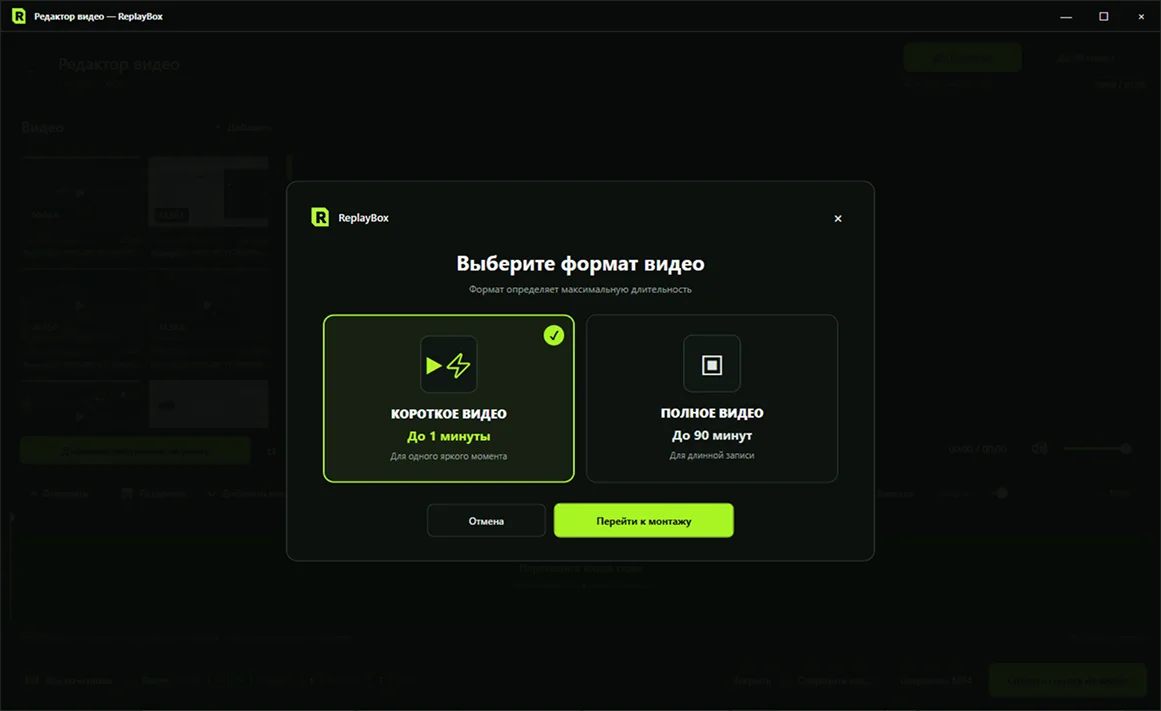
Administrators immediately see the recording, author, publication date and key moments, without archives, message chains or searching manually.
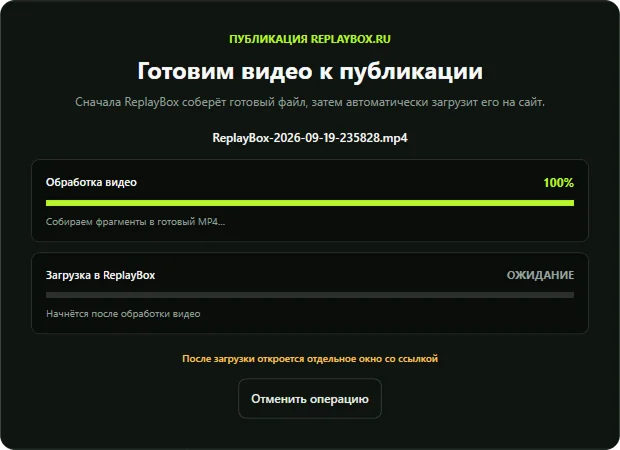
ReplayBox first assembles the selected clips into a finished MP4, then automatically uploads the recording to the website. Two separate stages show what is happening to your file.
Capture your screen with a ReplayBox hotkey. Select up to 20 screenshots, arrange them and add a note. The app creates one link to the collection so others can view and enlarge the images in their browser.
Show a gameplay moment, attach screenshots to a report or explain a problem with images. Local files stay on your computer.
Take a screenshot with a hotkey. The default is Print Screen.
Up to 20 images in your chosen order, with a shared note.
View and enlarge images right in your browser.
Free — 7 daysfrom the time of upload
On a paid planthroughout the plan and for 30 days after it ends
Choose a planReplayBox helps prepare video evidence, reports and complaints for roleplay projects, competitive games and communities with their own administrators.
Short guides to configuring the buffer, preserving context and preparing a link that project administrators can review.
Buffer setup, audio checks and saving a moment after it happens.
Open article →Video evidenceContext, acceptable trimming, precise timestamps and checking link access.
Open article →ComparisonHow to choose a tool for unexpected moments, long recordings or publishing.
Open article →ReplayBox records the last few minutes of gameplay, saves gaming moments, trims and combines MP4 files, takes screenshots and shares content by link. Local recording and editing do not require a Google connection.
Users with access to YouTube uploads can optionally connect their own channel. ReplayBox requests Google permissions to identify the channel and upload a selected video after separate user approval. Connecting a channel does not automatically publish anything.
ReplayBox records and edits content provided by users; the app does not generate images or videos using AI. Google data is not used for model training, advertising or sale to third parties.
The app description and data handling policies are available without signing in. Managing personal content and connections requires authentication.
Try cloud publishing for free first. After the trial, choose the storage capacity you need or continue working locally.
Record a moment, upload the video and share a ready-to-watch link. The trial starts after your first successful video or screenshot upload, rather than at registration.
The trial lasts 7 days from your first video or screenshot upload. The limits of 10 videos and 2 GB of video apply to the entire trial and are not restored after deletion. There is no total screenshot count limit. Content remains available for another 30 days after the trial ends.
After the trial: the “Basic” plan remains free for recording, editing and storing videos on your computer. New screenshots can be uploaded free for 7 days. Trial content stays available for another 30 days; renewing cancels its deletion.
All paid plans include recording and editing videos on your computer.
For occasional video sharing by link.
For regularly publishing and storing gameplay recordings.
For a large recording library and frequent publishing.
A custom plan for large video volumes and specialized needs.
On the free plan, you can upload screenshots from the app; they are kept for 7 days after upload. All paid plans use your occupied cloud storage without a separate video count limit. If you switch to a smaller capacity, existing content is preserved; new uploads become available after you free up space.
Save recent gameplay, trim the relevant episode and publish it by one link, all in one app.